Folkways platform
The infrastructure behind your live app.
Set the rules in Control Tower. The transport engine enforces them and delivers events. Your backend decides who gets access, and the SDK brings each update into your app.
- Stream
- KV
- Signal
Server SDK & REST API
JavaScript / TypeScript SDK
Your backend issues a signed token to the app.
Real Time Transport Engine
Three building blocks for any real-time experience.
Combine Stream, KV and Signal on one topic. A delivery app can replay an order’s journey, show the driver’s latest location and let a customer know the driver is typing.
- Placed → Paid → Shipped
Stream
Keep an ordered history. A customer who reconnects can replay the order updates they missed.
Stream guide - driver/27 → 51.50°, −0.12°
KV
Keep the latest value for each key. When a customer opens the map, fetch the driver’s current position.
KV guide - Driver is typing
Signal
Share a passing update with connected clients. A typing indicator expires five seconds after the driver’s latest signal.
Signal guide
The engine
Built so messages don’t drop.
What the Folkways node does for every topic, with nothing to run on your side.
Ordered, with replay
Stream events keep their order. Subscribers start from the latest event, the oldest kept, the last N, or right after a cursor they saved.
Cursor resume
After a reconnect, the SDK picks up after the last event it handled. With local storage, a page reload does too.
History on disk
Stream history is written to disk, so subscribers resume after a restart or deploy with no gap, for up to 24 hours.
Stored at most once
Every Stream and KV publish carries an idempotency key, so a retry after a network error never stores the event twice.
Multi-type topics
One topic can carry Stream, KV and Signal events, each event name with its own type. A whole room is one topic.
Presence and online status
Folkways keeps who is in each room and who is online across your app, one entry per connection or device.
Works on any network
WebSocket first, HTTP long-polling when WebSockets are blocked, and an offline queue that sends publishes when the connection returns.
Flow control
When subscribers fall behind, the node slows publishers instead of dropping events, and the SDK tells your UI.
Any payload
JSON, text or bytes, labelled as FlatBuffers, Protobuf, MessagePack or CBOR. The node never reads payloads.
How it’s organised
Workspaces, segments, topics.
Three levels, all managed from the dashboard.
- 1
Workspace
Your organisation: members, roles, plan and billing.
acme
- 2
Segment
One real-time app, isolated from the rest. Use one per app or environment.
chat-production · chat-staging
- 3
Topics
Where events flow. One topic can carry Stream, KV and Signal events; topic rules set the types, event names, who can do what, and limits.
rooms/{room}: message · read · typing
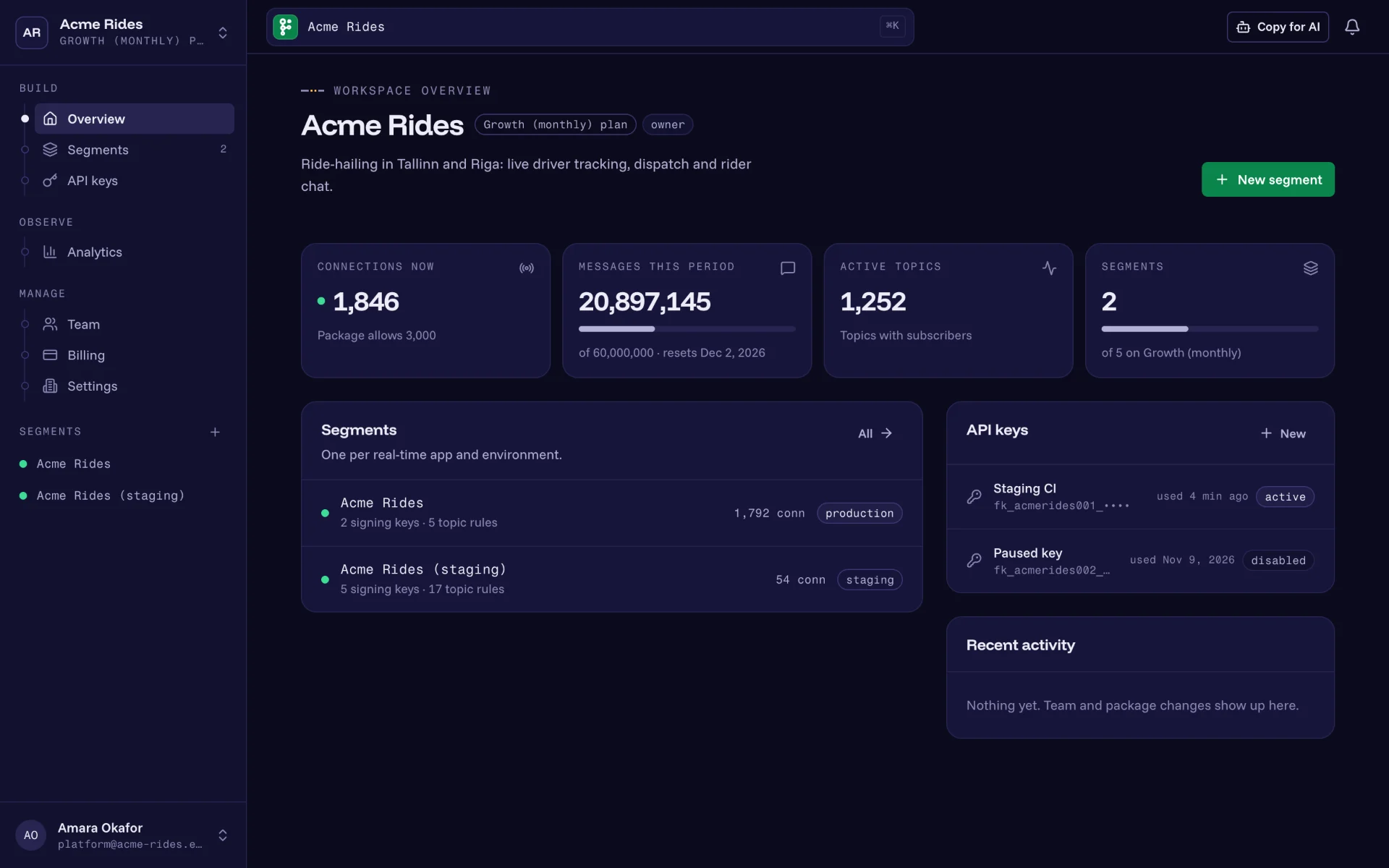
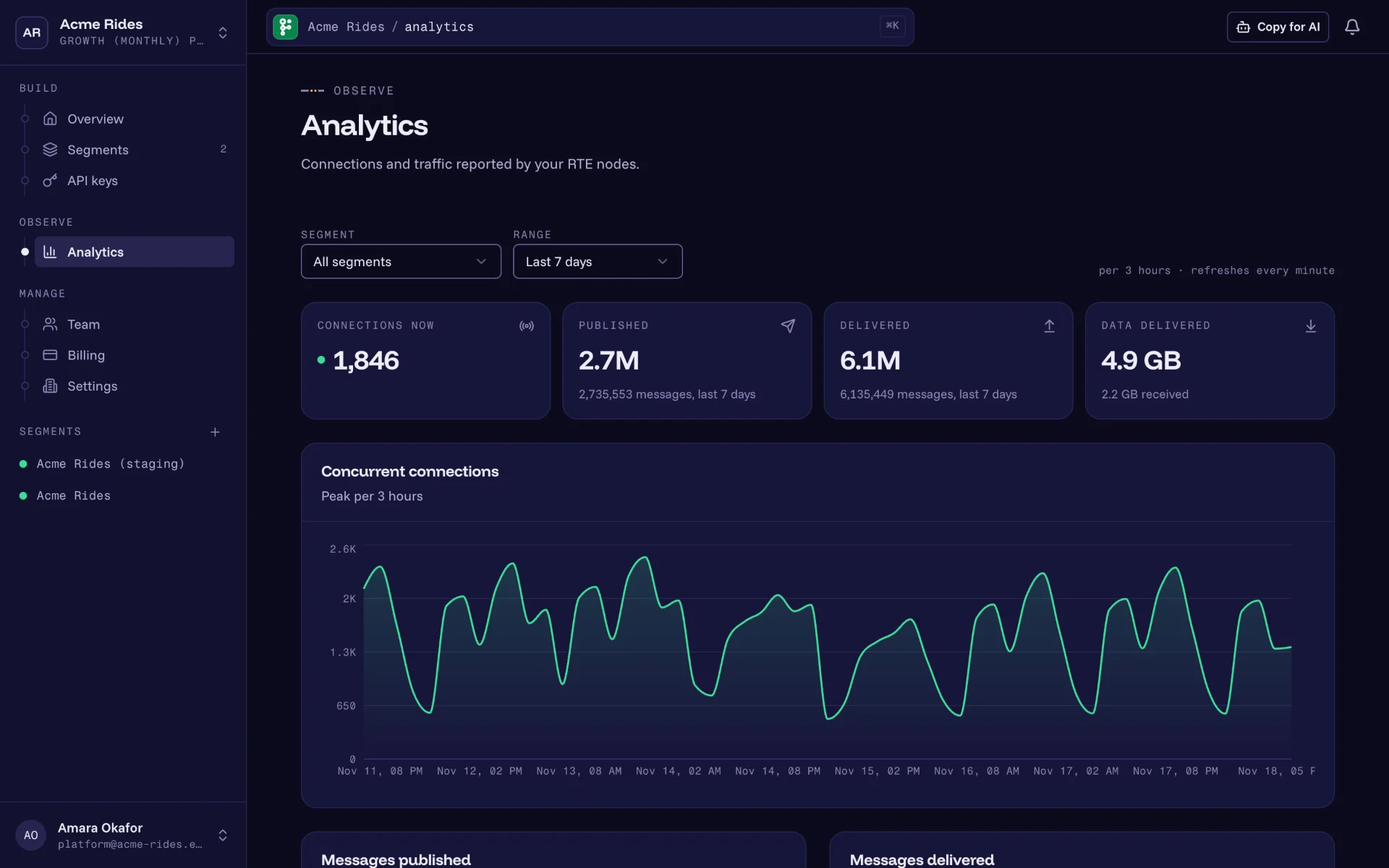
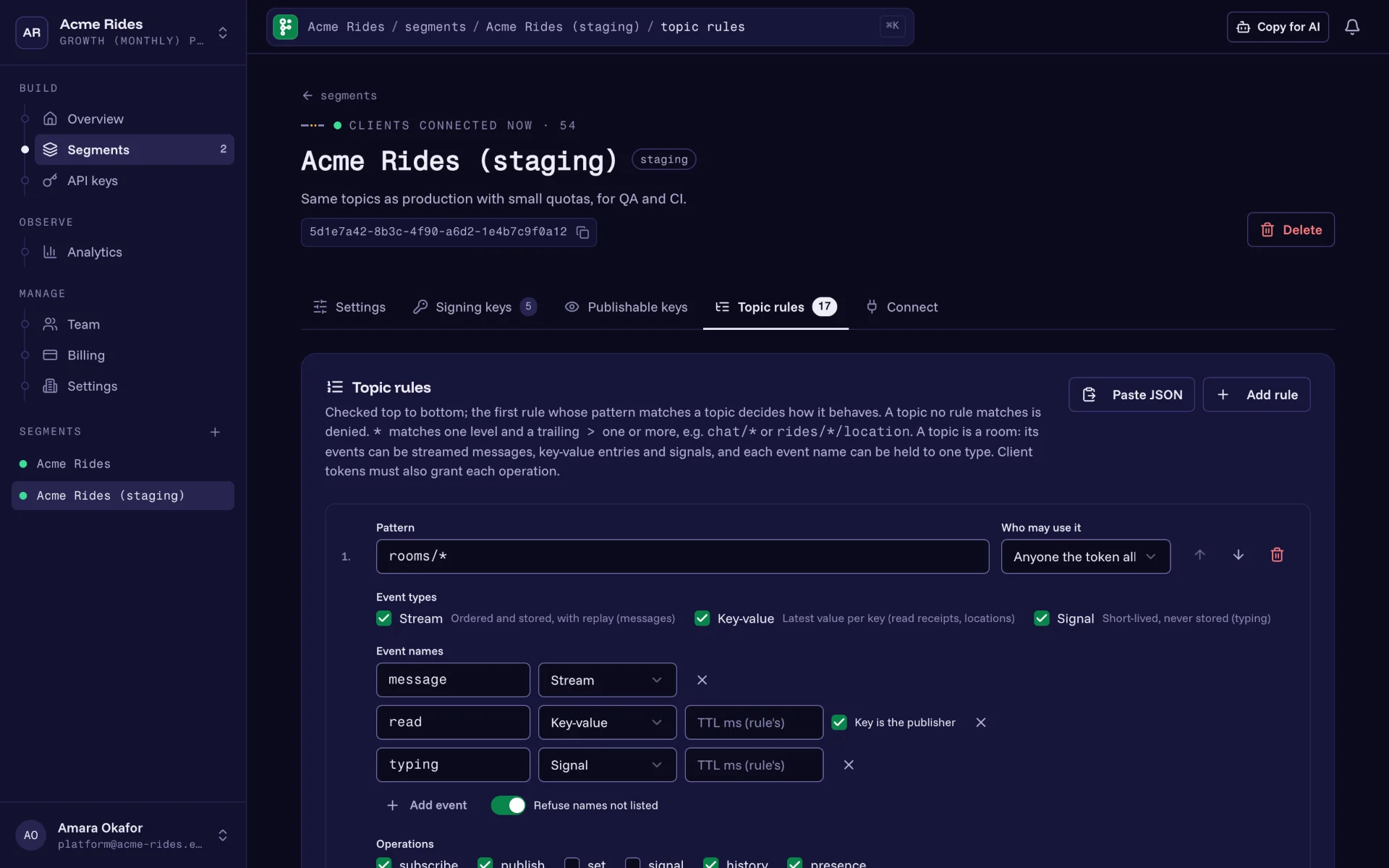
- Create a segment for each app and environment
- Write topic rules: the types and event names each topic carries, allowed operations and limits
- Add signing keys for your backend and publishable keys for public pages
- Choose who can connect, including anonymous read-only visitors
- See basic usage analytics for connections and messages
- Invite your team and manage your plan and billing
For developers
SDK and APIs.
Everything is documented, with complete examples.
- JavaScript and TypeScript SDKBrowsers, React Native, Node.js, Deno and Bun, with React support and typed events.
- Server SDKSign tokens in your backend and publish from any server, with retries and receipts.
- Backend endpointsOpen direct and group rooms, manage member lists, kick users and revoke tokens over HTTPS.
- Publishable keysRead-only, anonymous access for public pages like scores, status pages and tracking links.
Security
Secure by default.
Short-lived signed tokens, per-topic permissions, private rooms, instant revocation, TLS and end-to-end encryption ready. Hosted in the EU.
Get started
Try it on the Free plan.
Create a workspace, add a topic rule and connect your first client in minutes.